Tracover: Chat Track & Recover
- 3.0
- Rating
- 1.00M
- Installs
- Free
- Price

 Analysis by App-foxy
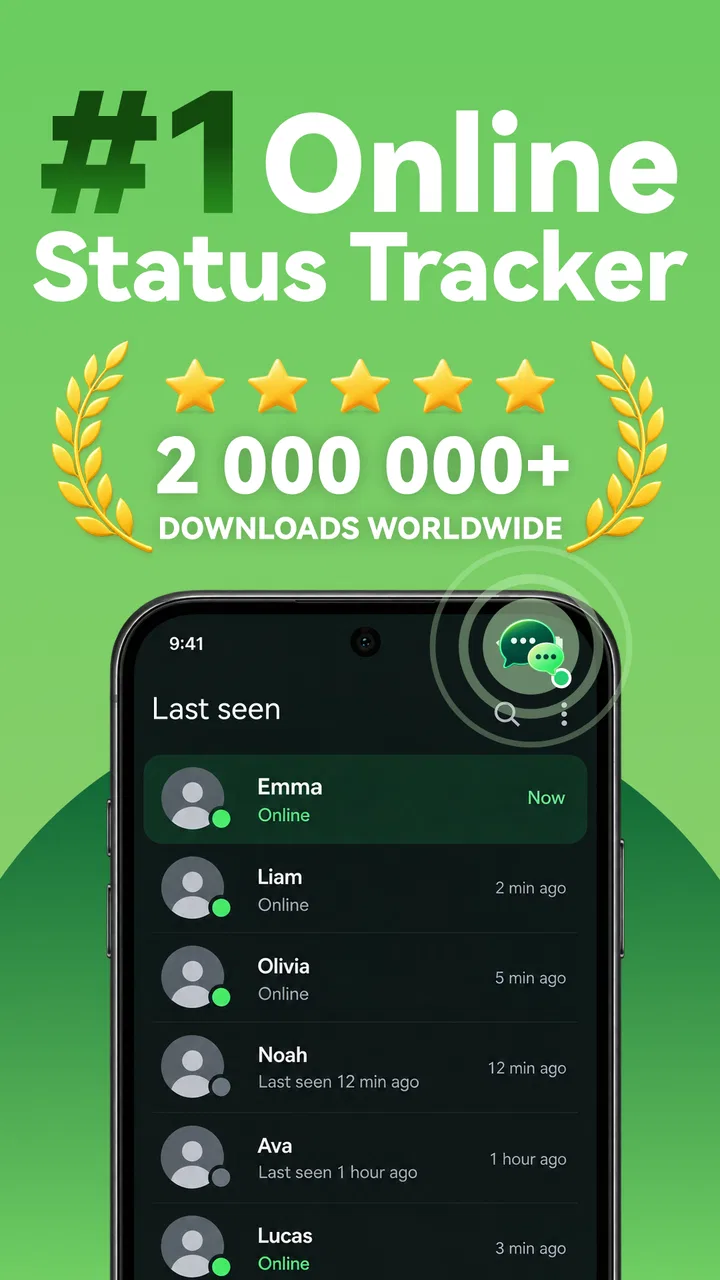
I approached Tracover: Chat Track & Recover as a utility rather than a normal messaging companion. Its focus is narrow but understandable: it brings together chat activity tracking, online-status and last-seen monitoring, and saving view-once content. That combination may appeal to someone who wants a quick way to observe activity or keep a temporary item for later, but it also places the app in a privacy-sensitive part of the tools category. My main question while using it was not simply whether the features were convenient, but whether they gave me enough clear control to use them responsibly.
The app is free to install, carries an Everyone age rating, and comes from Shenzhen Wondershare Software Co., Ltd. It has passed the million-install mark, although its average rating sits at three out of five from roughly one thousand seven hundred ratings. That mixed reception is important context: this is not an automatic recommendation, even if the feature list sounds useful. I would treat it as a focused experiment for a specific need, not as an essential companion for every chat user.
What Tracover is really useful for
The central appeal is convenience. Instead of checking a conversation repeatedly, a user may prefer a separate activity view that helps them notice changes in online status or last-seen information. In an everyday situation, imagine waiting for a family member to confirm that they arrived safely while you are busy with work. A tracker can reduce the temptation to open the chat every few minutes. That is the practical case for the app: it can turn a repetitive checking habit into a more deliberate glance at activity.
You May Also Like

 Blood Strike: 2.5 Anniversary
Blood Strike’s Loadouts Turn Every Drop Into a Tactical Gamble
A close look at Blood Strike’s custom loadouts: how fast access to signature weapons reshapes its battle royale rhythm, rewards preparation, and narrows the gap between fights.

 Pandora - Music & Podcasts
Pandora’s Music Is Easy to Start, but Harder to Recover
Pandora’s strength is its low-effort path from a seed to a station. Its weak spot is how much confidence it asks you to place in connection, setup, and quiet recovery.

 8 Ball Pool
 Is Built on Rivalries, Rematches, and Routine
A close look at the rivalries, rematches, shared routines, and unanswered safety questions that turn a quick pool match into a persistent mobile community.

 Samsung Music
’s Quiet Strength Is Playing What You Already Own
Its reach comes less from spectacle than from dependable access to a personal library. That simplicity is both the app’s strongest retention engine and its ceiling.

 AccuWeather: Weather Radar
AccuWeather Review: A Quick, Clear Forecast for Everyday Decisions
For everyday plans, the best forecast is the one you can understand quickly. AccuWeather makes rain timing, radar, and local conditions easy to act on, with a few trade-offs.

 Hill Climb Racing
Why Hill Climb Racing Still Turns Crashes Into One More Run
A tiny car, a bumpy hill and one more upgrade: Hill Climb Racing keeps resurfacing because its simple chaos makes every near-miss feel personal.
More From Our News Desk



There is a trade-off, though. Activity information is not the same as a reply, an acknowledgement, or proof that someone has read a message. I found it important to keep those distinctions in mind. A person may appear online without being available to talk, and a last-seen time can be interpreted too confidently. For that reason, I would use the app as a limited reminder tool, never as a substitute for direct communication.
The recovery side is aimed at view-once material. That can be useful when a sender shares something temporary that I need to refer to again, such as a photographed note, a delivery detail, or an image containing information I was not ready to process immediately. The convenience is obvious, but saving temporary content changes the expectation created by the original message. Before using that function, I would ask whether the sender intended the item to remain temporary and whether keeping it is appropriate.
That question is more than a matter of etiquette. A view-once design usually signals that the sender wants tighter control over how long the content remains available. The app may make saving easier, but it cannot make the underlying permission clearer. My practical advice is to reserve this function for material that you own, material you have explicit permission to retain, or content whose temporary nature was accidental rather than intentional.
A focused tool, not a complete chat manager
Tracover does not present itself as a replacement for a messaging application. It is better understood as an extra layer around selected chat activities. That makes it more specialized than ordinary notification history, a built-in recent-apps screen, or simply opening the conversation when needed. Those usual alternatives are less ambitious, but they are often easier to understand because they keep activity inside the service where the conversation already happens.
I would choose the app over manual checking when the same status needs to be observed regularly and the separate view genuinely saves time. I would choose the usual messaging app instead when I only need occasional updates, when privacy is the priority, or when the situation calls for a direct answer rather than a status signal. The best option depends on whether the problem is repeated checking or poor communication.
The free entry point also makes testing straightforward, but the presence of in-app purchases ranging from $4.99 to $59.99 per item means I would not assume that every useful capability is included at no cost. I would inspect each purchase screen carefully before confirming anything. A tracker can become expensive if the user treats a temporary need as a permanent subscription-like habit, even when the initial installation feels harmless.
Trust starts with visible choices
Because this app deals with chat activity and temporary content, I paid close attention to the choices shown during setup and use. The most important controls are the ones that let me decide which functions to activate, when to stop tracking, and whether to keep recovered material. I prefer a workflow where each sensitive action is intentional rather than something that runs unnoticed in the background.
My recommendation is to grant only the access that is clearly needed for the feature I am testing, then review the result before enabling anything else. If a screen asks for access that does not seem connected to online-status tracking or content recovery, I would pause instead of accepting automatically. This is a useful habit with any tool that sits close to private conversations, and it matters more here because the app’s purpose naturally touches other people’s activity.
I would also check the app’s own settings after installation rather than relying on the initial choices. Look for switches related to notifications, tracked contacts, activity alerts, saved items, and account controls. If a feature is no longer needed, turn it off and remove any retained content. A clean exit is part of trustworthy use: stopping a tracker should be as easy as starting one.
One practical tip is to test the least sensitive scenario first. Instead of connecting the app to a conversation involving personal documents or private family matters, use a low-risk situation where the activity information has little consequence. This lets me see how alerts behave, how quickly information updates, and whether the interface makes stopping or clearing activity obvious. It is a safer way to judge usefulness than beginning with the most private account on a phone.
Where the sensitive moments appear
The most delicate feature is not necessarily the activity display; it is the possibility of turning someone else’s temporary share into something persistent. Even when the content seems harmless, saving it can affect the sender’s expectations. I would never use that capability to bypass a clear request for privacy, and I would avoid retaining material that includes another person’s face, location, contact details, or financial information without permission.
A second sensitive moment is interpretation. Seeing an online indicator can encourage repeated checking, especially when a message has not received a response. That can create anxiety rather than reduce it. I found the app more defensible when used for a defined purpose, such as checking once during a delivery window, than when left to drive constant monitoring. Setting a personal limit before opening the tracker helps prevent the tool from becoming a source of stress.
A third issue is shared-device use. If other people can access the phone, saved content or activity notifications may expose information that was meant to remain private. I would review lock-screen notifications and avoid keeping recovered items in an easily visible gallery or folder. I would also remove anything that no longer has a clear purpose. The app may help collect information, but the responsibility for what remains on the device still belongs to the user.
These considerations are why I would not recommend Tracover for monitoring a partner, colleague, child, or friend as a way to enforce trust. A status indicator cannot provide context, and using it secretly can damage the relationship it was meant to clarify. The app is more appropriate when the user has a legitimate, transparent reason to organize activity information or retain their own shared material.
How I would use it without losing control
My preferred workflow begins with a clear question: what exactly am I trying to solve? If the answer is “I need to notice a status change during a short period,” I would activate only the relevant tracking function, choose the smallest practical scope, and decide when I will stop checking. If the answer is “I need to keep a temporary item,” I would first confirm that retaining it is acceptable, then remove it once the task is finished.
I would avoid turning every available contact into a tracked contact. Narrow use reduces clutter and makes the information easier to interpret. It also limits the number of other people whose activity becomes part of my routine. This is one of the app’s less obvious trade-offs: a broader view may seem more powerful, but it can quickly become noisy, distracting, and harder to manage responsibly.
Another useful habit is to compare the app’s information with the original conversation before acting on it. If the tracker suggests that someone is active, I would not assume that they saw my message or are ready to answer. I would use the chat itself for confirmation. This two-step approach is slower than trusting a status label, but it avoids turning an uncertain signal into a definite conclusion.
For recovered content, I would create a simple retention rule: keep only what I can explain, identify, and delete later. A temporary work note might have a clear reason to remain for a day. A personal photograph from someone else may not. Thinking this way prevents the recovery function from becoming an unplanned archive of private material.
Everyday strengths and practical friction
The strongest part of the concept is its focus. Someone who regularly needs activity awareness or a second chance to view temporary content may appreciate having those tasks gathered in one place. The app’s tools category positioning makes sense because it is designed around a practical phone habit rather than entertainment. Its free installation also lowers the barrier for a cautious trial.
The friction comes from the same specialization. If I only check status occasionally, the extra app can feel unnecessary. I may end up managing another set of notifications, settings, and stored items when the original messaging service already provides enough information. The average rating of three suggests that the experience will not satisfy everyone, so I would keep expectations measured rather than assuming the feature summary guarantees a smooth workflow.
Compatibility is also worth checking before installation. The current version is 1.2.15.302 and requires Android 7.0 or later. That covers many older devices, but anyone using an older Android phone should verify the operating-system requirement first. Since this is an Android app, iPhone users should not assume the same tool is available or behaves the same way on iOS; I would look for an official version for the device in hand rather than relying on similarly named alternatives.
The age rating is Everyone, which makes the app broadly accessible from a content-classification perspective. That rating should not be confused with a recommendation for every age group to use activity tracking without guidance. Younger users may need help understanding that online status is incomplete information and that saving someone else’s temporary content can cross a boundary. The responsible-use question remains important even when the content rating is broad.
Who should try it and who should skip it
I can see a reasonable fit for users with a specific, short-term need: coordinating a delivery, watching for a family update, organizing their own shared material, or avoiding repeated trips into a chat. These users should be comfortable checking settings, limiting the scope of tracking, and deleting saved content when it is no longer needed. For them, the app may provide convenience that ordinary chat notifications do not.
I would skip it if the main goal is to prove whether someone is ignoring me, monitor a relationship secretly, or preserve content that another person deliberately made temporary. It is also not my first choice for someone who wants a simple notification log, because the phone’s existing notification tools may be less intrusive and easier to control. Likewise, people who dislike paid unlocks should examine the purchase prompts before investing time in a workflow that may depend on them.
The developer, Shenzhen Wondershare Software Co., Ltd., gives the product a recognizable software publisher behind it, but that alone should not replace careful reading of the app’s visible controls and privacy choices. Trust is built through what the interface lets me understand and manage. I would judge the app by whether it explains its requests, makes tracking states clear, and lets me stop or clean up without confusion.
My cautious verdict
Tracover: Chat Track & Recover is a specialized utility with a clear use case, but it is not a tool I would install casually and leave running without thought. Its activity tracking can reduce repetitive checking, while its recovery function may help with temporary material that I have a legitimate reason to retain. Those benefits are real, especially for a user who approaches them with a defined purpose.
At the same time, the app operates in an area where convenience can easily become over-monitoring. Online and last-seen information needs context, and view-once content deserves respect for the boundary it creates. I would start with a low-risk test, enable only the necessary controls, review notifications, avoid broad tracking, and delete saved items promptly. I would also inspect any paid option before confirming it, since purchases can range from a few dollars to a much higher per-item amount.
My final view is cautiously positive for a narrow audience and cautious for everyone else. If you need these particular tools and can use them transparently, the free installation makes a controlled trial reasonable. If your need is occasional, privacy-sensitive, or driven by suspicion, the normal messaging app and direct conversation are better choices. The best reason to use Tracover is deliberate convenience, not silent surveillance.
FAQs for Tracover: Chat Track & Recover
01What is Tracover: Chat Track & Recover used for?
Tracover: Chat Track & Recover is designed to help users organize and recover information from messaging conversations. Depending on the device and permissions granted, it may assist with tracking chat-related activity, saving selected content, or restoring messages that were accidentally removed. Its usefulness depends on the messaging service, phone settings, and whether the required data was available before recovery was attempted.
02Can Tracover recover deleted messages from any messaging app?
No recovery application can guarantee access to deleted messages from every messaging platform. Tracover’s results may vary according to the app involved, Android or iOS restrictions, notification history, backups, storage permissions, and how quickly the recovery is attempted. Messages that were never received, permanently erased, encrypted, or excluded from notifications may not be recoverable.
03What permissions does Tracover: Chat Track & Recover require?
The application may request access to notifications, storage, media, or other device features to detect and preserve chat-related information. These permissions should be reviewed carefully before approval because they can expose private conversations and attachments. Only grant access that is necessary for the feature you intend to use, and revoke permissions later through your phone’s settings if you stop using the app.
04Is Tracover: Chat Track & Recover safe and private to use?
Privacy depends on how the application handles collected information, where data is stored, and which permissions are enabled. Before installing, users should check the official privacy policy, developer details, subscription terms, and recent store reviews. Avoid entering sensitive account credentials into unofficial screens, and remember that monitoring or recovering another person’s chats without consent may violate privacy laws or the messaging service’s rules.
05Does Tracover: Chat Track & Recover cost money?
The download may be free, but some features can require in-app purchases, a subscription, or payment after a trial period. Check the application’s store listing for the current pricing, renewal conditions, and cancellation instructions before starting a trial. Also verify whether recovery tools, unlimited tracking, cloud storage, or advanced export options are restricted to premium users.
Pros
- Helps organize important contacts and follow-up conversations in one place.
- Useful for remembering promises
- tasks
- and details from personal chats.
- Simple tracking tools can reduce the chance of forgetting planned actions.
- May improve communication consistency for busy users and small teams.
- Recovery-focused features can help locate or revisit previously noted information.
Cons
- Requires careful setup before its tracking features become genuinely useful.
- Privacy may concern users who prefer not to store conversation-related details.
- Can add extra work if every contact or follow-up must be entered manually.
- Notifications may become distracting when managing many tracked conversations.
- Some features may depend on account access
- permissions
- or an internet connection.

Tracover: Chat Track & Recover
Gallery